Table of Contents
- The Problem with Silent Security: Why Trust Isn’t Enough
- How the Two-Device Verification Works
- Why Two Devices? The Logic Behind Cross-Validation
- Real-World Applications: From Consumers to Enterprises
- Challenges and Limitations: Not a Silver Bullet
- The Bigger Picture: A Shift Toward Transparent Trust
- Conclusion: Trust, But Verify
Android 17’s Two-Device OS Verification: A Bold Step Toward Unbreakable Mobile Security
Imagine powering on your phone and knowing—truly knowing—that every line of code running on it came directly from Google, untouched by hackers, malware, or rogue firmware. That’s the promise behind Android 17’s new OS verification system, a groundbreaking security feature that’s quietly reshaping how we trust our devices. While still in its early stages, recent beta releases have given us our first real glimpse into how this two-device verification process will work—and why it could be a game-changer in mobile cybersecurity.
For years, Android has offered tools like Verified Boot and Pixel Binary Transparency to ensure your phone boots with trusted software. But these systems, while powerful, were largely invisible to everyday users. They operated silently in the background, leaving most people unaware of whether their device had been compromised. Now, Google is flipping the script with a user-facing verification screen that not only checks for red flags but also introduces a novel two-device authentication workflow—a move that could redefine mobile trust in the age of sophisticated cyber threats.
The Problem with Silent Security: Why Trust Isn’t Enough
For over a decade, Android has relied on cryptographic signatures and secure boot chains to verify that only authorized software runs on your device. But here’s the catch: these protections are only as strong as the user’s awareness of them. If a malicious actor manages to flash a compromised ROM or exploit a bootloader vulnerability, the average user wouldn’t know—until it’s too late.

Consider the rise of “bricked” devices sold on the black market—phones that appear functional but are loaded with spyware, cryptocurrency miners, or data-stealing malware. These devices often pass initial checks because the malicious code is embedded deep within the firmware, invisible to standard scans. Even advanced users struggle to detect such threats without specialized tools.
This is where Android 17’s new OS verification comes in. Instead of relying solely on automated, background checks, Google is introducing a manual verification mode that requires user interaction—specifically, the use of a second trusted device. This two-device approach creates a trusted verification chain, where one device (like a tablet or another phone) confirms the integrity of the primary device’s operating system.
How the Two-Device Verification Works
The core idea behind Android 17’s OS verification is elegantly simple: trust through cross-validation. Here’s how it’s designed to function.
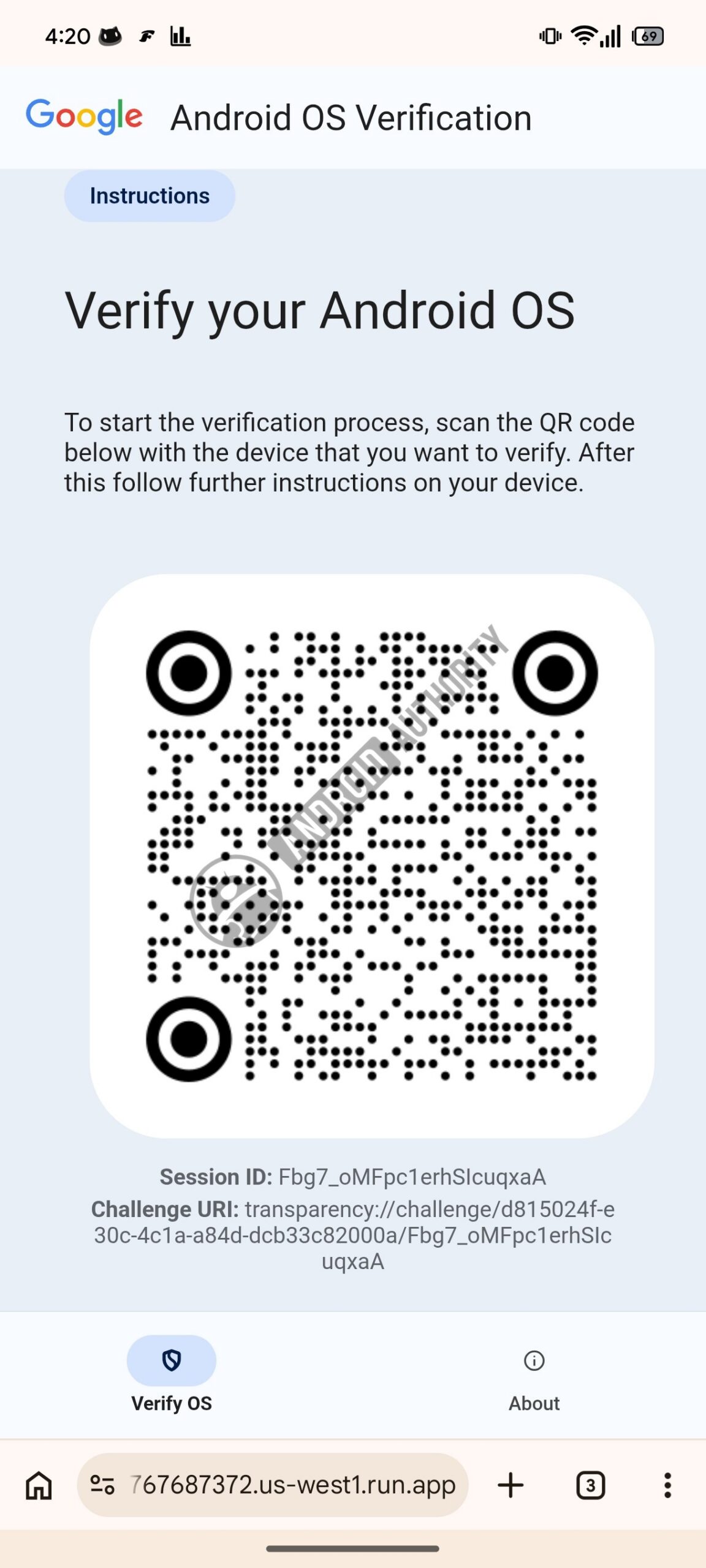
When you enable OS verification on your primary Android device, the system generates a unique cryptographic hash of its current firmware and boot state. This hash is then displayed as a QR code on the screen. The user then scans this code with a second, trusted Android device—say, a tablet or a family member’s phone—that’s also running Android 17 or later.
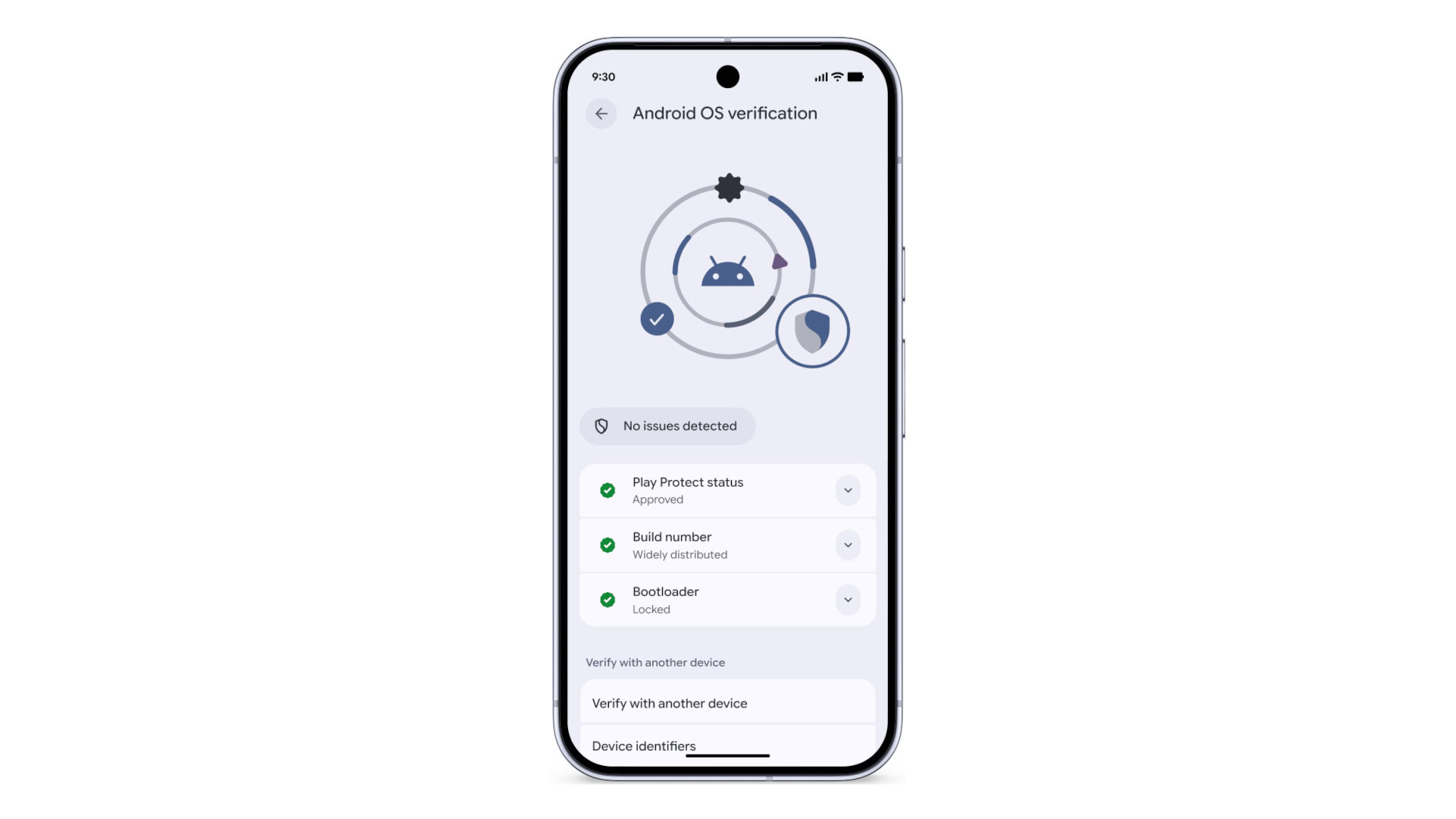
Once scanned, the second device contacts Google’s servers to verify whether the hash matches the official, signed version of Android for that specific device model and build. If it does, the second device displays a confirmation message: “This device is running authentic software.” If not—perhaps due to a modified bootloader, unauthorized ROM, or malware injection—the second device alerts the user immediately.
This two-device workflow isn’t just about convenience; it’s about closing the trust gap. Unlike traditional methods that require users to manually check logs or use command-line tools, this system is designed for everyday users. It’s intuitive, visual, and actionable—turning abstract security concepts into a simple yes/no decision.
Why Two Devices? The Logic Behind Cross-Validation
You might wonder: why require a second device at all? Couldn’t Google just send a push notification or display a green checkmark directly on the phone?
The answer lies in security fundamentals: a compromised device cannot be trusted to report its own integrity. If malware has taken root in the OS, it could easily fake a “verified” status or suppress warnings. By offloading the verification to a separate, trusted device, Google ensures that the assessment comes from a clean environment—one that hasn’t been tampered with.
Think of it like a digital notary. Just as you’d use a third party to verify a legal document, Android 17 uses a second device as an independent validator. This model is already used in high-security environments—such as hardware security keys for two-factor authentication—but it’s rarely seen in consumer mobile OS design.
Moreover, the two-device approach future-proofs Android against supply chain attacks. Imagine buying a “new” phone from a third-party seller that’s actually been tampered with at the factory. With OS verification, you could scan it with your trusted device before even setting it up—potentially catching firmware-level compromises before they cause harm.
Real-World Applications: From Consumers to Enterprises
While the average user might not think about OS integrity daily, the implications of Android 17’s verification system extend far beyond personal security.
For enterprise users, this feature could become a cornerstone of mobile device management (MDM). Companies could require employees to verify their work phones before accessing corporate data, ensuring that no unauthorized modifications have been made. IT departments could even automate the process by integrating verification checks into their enrollment workflows.
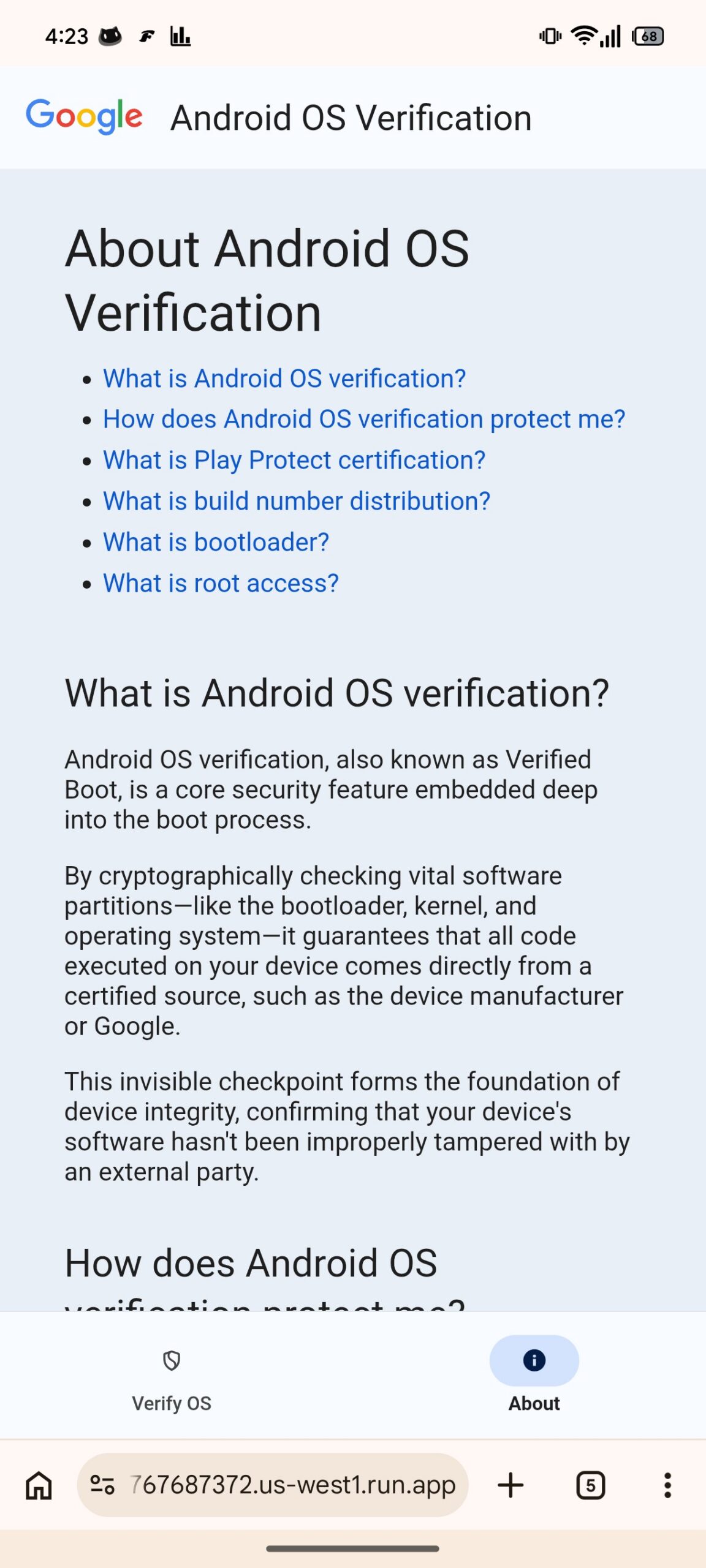
For journalists, activists, and high-risk individuals, this tool could be a lifeline. In regions with heavy surveillance or state-sponsored hacking, knowing that your phone hasn’t been compromised is critical. The ability to quickly verify OS integrity—without needing technical expertise—could empower users to protect themselves in dangerous environments.
Even parents and educators could benefit. Imagine verifying that a child’s tablet hasn’t been jailbroken or loaded with inappropriate apps. The two-device system makes it easy for non-technical users to enforce digital boundaries.
Challenges and Limitations: Not a Silver Bullet
Despite its promise, Android 17’s OS verification isn’t without challenges. For one, it requires two Android 17+ devices—a barrier for users with older hardware. While Google may eventually support cross-platform verification (e.g., scanning with an iPhone), that’s not currently on the roadmap.
There’s also the issue of user adoption. Will people actually take the time to scan a QR code every few months? Google will need to make the process seamless—perhaps by integrating it into routine updates or security checkups.
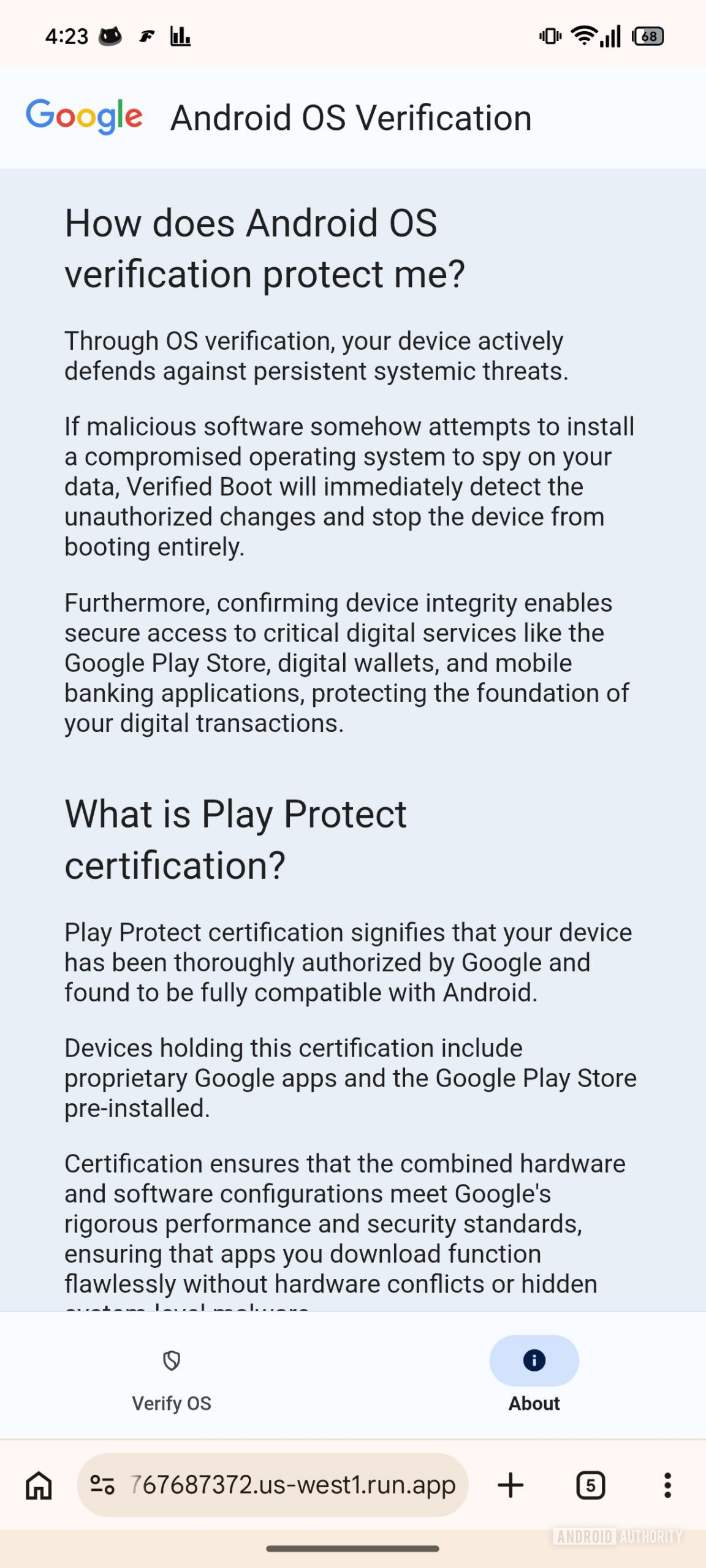
Another concern is false positives. What if a legitimate custom ROM triggers a warning? Google will need to balance strict verification with flexibility for developers and enthusiasts. The company has hinted at allowing whitelisted modifications, but details remain scarce.
Finally, there’s the question of server dependency. If Google’s verification servers go down, users might be unable to confirm their device’s status. To mitigate this, Google could implement offline verification modes using pre-downloaded manifests—similar to how some apps cache security certificates.
The Bigger Picture: A Shift Toward Transparent Trust
Android 17’s OS verification isn’t just a new feature—it’s a philosophical shift. For too long, mobile security has been reactive: users only discover compromises after damage is done. This new system aims to make security proactive and transparent.
By putting verification in the user’s hands, Google is democratizing access to advanced security tools. It’s no longer just for developers or paranoid techies—it’s for everyone who cares about their digital safety.
The two-device workflow requires QR code scanning and cloud-based validation.
Google processes over 100 million firmware signatures monthly for Pixel devices.
The feature is currently in beta testing and not yet active in public builds.
Similar systems exist in iOS (Secure Boot Chain) but lack user-facing verification.
Looking ahead, this could pave the way for automated verification routines—imagine your phone prompting you to scan it after every major update, or integrating with smart home systems to ensure all connected devices are secure.
Conclusion: Trust, But Verify
In an era where our phones hold everything from banking details to personal photos, trust is no longer enough. We need verification. Android 17’s two-device OS verification system represents a bold step toward that future—one where users aren’t just protected by security, but empowered by it.
While still in development, the early signs are promising. By combining cryptographic rigor with user-friendly design, Google is making it easier than ever to answer one of the most important questions in mobile security: Can I trust this device?
As cyber threats grow more sophisticated, tools like this won’t be optional—they’ll be essential. And with Android 17, we’re finally getting a system that puts that power directly in our hands.
This article was curated from Here’s a closer look at how Android 17’s OS verification is going to work via Android Authority