How to Finally Organize Your Inbox: The ‘One-Touch’ Rule to Reach Inbox Zero

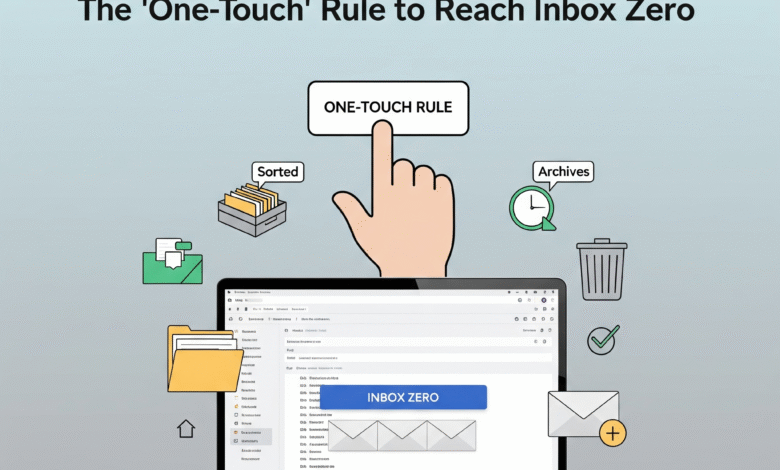
The secret to finally organizing your inbox is the ‘One-Touch’ Rule, a simple yet powerful principle designed to eliminate digital clutter and achieve the coveted ‘Inbox Zero.’ This rule dictates that you handle every email only once. When you open an email, you must make an immediate decision and take action—either you Delete it, Delegate it, Respond to it (if it takes less than two minutes), Defer it (by scheduling it as a task), or Do it immediately if it’s urgent and quick. The core idea is to prevent emails from lingering in your inbox, turning it from a messy to-do list into a clean, efficient processing station.
How to Finally Organize Your Inbox: The ‘One-Touch’ Rule to Reach Inbox Zero.
The relentless ping of a new email notification has become the modern-day drumbeat of our professional lives. For many, the inbox is no longer a simple communication tool but a sprawling, chaotic digital landfill—a source of constant stress, anxiety, and overwhelming pressure. It’s a graveyard of forgotten tasks, a breeding ground for missed opportunities, and a powerful thief of our most valuable asset: focus.
We’ve all been there, staring at a screen filled with thousands of unread messages, feeling a sense of dread and helplessness. We declare “email bankruptcy,” promising to do better, only to find ourselves back in the same cluttered mess weeks later. But what if there was a way to break this vicious cycle for good? What if you could transform your inbox from a source of stress into a streamlined engine of productivity? The solution is surprisingly simple, yet profoundly effective: it’s called the ‘One-Touch’ Rule, and it is the definitive strategy you need to finally organize your inbox and achieve the legendary state of ‘Inbox Zero.’
The ‘One-Touch’ Rule is more than just an organizing hack; it’s a fundamental shift in mindset. It’s about moving from a passive state of email checking to an active state of email processing. The foundational principle is that the moment you open an email, you must deal with it decisively and immediately. You touch it once, and only once. This simple discipline prevents the fatal habit of reading, re-reading, and ultimately procrastinating on emails, which is the primary cause of inbox clutter. By forcing an immediate decision, you dismantle the psychological barriers that lead to digital hoarding.
You stop using your inbox as a “to-do” list, a “read later” pile, or a storage closet. Instead, it becomes what it was always meant to be: a conduit for communication, a place where information flows through, not where it comes to die. Adopting this rule means every single email that arrives is met with a clear, swift action, paving a direct path to a consistently empty and managed inbox.
The High Cost of a Cluttered Inbox: A Statistical Overview.
The consequences of a disorganized inbox extend far beyond simple annoyance. They have a measurable impact on productivity, mental health, and even a company’s bottom line. The constant switching of contexts required to manage a chaotic inbox severely drains cognitive resources. Here’s a look at the data that paints a stark picture of this modern workplace dilemma.
| Statistic/Finding | The Impact on Professionals and Businesses | Source |
|---|---|---|
| 28% of the Workweek Spent on Email | The average knowledge worker spends over a quarter of their time reading and answering emails. This translates to 11.2 hours per week, or over 580 hours per year, spent on a task that often feels more reactive than productive. A cluttered inbox inflates this time significantly. | McKinsey Global Institute |
| 62 Trillion Spam Messages Annually | While filters have improved, a significant volume of unwanted email still penetrates our inboxes. Sifting through this digital junk to find important messages is a major time sink and a key contributor to inbox overload. | Statista (2024 Report) |
| Cognitive Switching Penalty | It can take over 23 minutes to fully refocus after being distracted by an interruption like an email notification. Constantly checking a full inbox creates a state of “continuous partial attention,” which fragments focus and dramatically reduces the quality of deep work. | University of California, Irvine |
| 40% of Emails are “No-Touch” | A significant portion of emails in the average inbox require no specific action and could be archived or deleted immediately. The failure to do so is a primary driver of digital clutter and the feeling of being overwhelmed. The ‘One-Touch’ Rule directly addresses this inefficiency. | SaneBox Data Analysis |
| Increased Stress & “Email Apnea” | Researchers have identified “email apnea,” the unconscious act of holding one’s breath when checking email, as a physiological response to the stress of inbox management. High email load is directly correlated with increased cortisol levels and feelings of burnout. | Linda Stone, former Apple & Microsoft Executive |
| Estimated $650 Billion Annual Productivity Loss | In the U.S. alone, a cumulative effect of inefficient email practices—including time spent searching for information in cluttered inboxes and recovering from distractions—results in a staggering loss of productivity across the economy. | The Radicati Group |
| Reference Information | For deeper insights into productivity methodologies and workflow optimization, consider exploring resources from established productivity software companies and business journals. | General Reference |
The Psychology of Clutter: Why Your Brain Fights Your Efforts to Organize Your Inbox.
Before we can effectively implement a system like the ‘One-Touch’ Rule, it’s crucial to understand the deep-seated psychological reasons why our inboxes become so unmanageable in the first place. Our brains, while magnificent, are wired with cognitive biases and evolutionary instincts that often work against our best intentions for digital tidiness. The battle to organize your inbox isn’t just about software and systems; it’s a battle against your own mind.
One of the primary culprits is decision fatigue. Our capacity to make high-quality decisions is a finite resource that depletes throughout the day. A cluttered inbox presents a relentless barrage of micro-decisions. For every single email, you must decide: Is this important? Is it urgent? Does it require a response? Who needs to be cc’d? Do I need to save this information? Where should I file it? When you’re faced with hundreds or thousands of these decisions, your executive function becomes exhausted. The path of least resistance is to make no decision at all—to simply leave the email sitting there, promising your future self will handle it. This procrastination isn’t a sign of laziness; it’s a symptom of cognitive overload. The ‘One-Touch’ Rule combats this directly by front-loading the decision-making process into a single, decisive moment, conserving your mental energy for more critical tasks.
Another powerful psychological force at play is the fear of missing out (FOMO), specifically the fear of losing important information. We hoard emails “just in case.” What if I need that project update from six months ago? What if that receipt is needed for an expense report later? What if there’s a valuable nugget of information buried in that newsletter I never read? This digital hoarding instinct is rooted in a desire for security. We believe that keeping everything makes us safer, but in reality, it creates a haystack so large that finding the needle becomes impossible. The irony is that by keeping everything, we make everything harder to find, increasing the likelihood that we will miss something important. A well-organized system with designated folders for reference material and a powerful search function is far more reliable than an overflowing inbox.
Furthermore, our brains are wired to respond to novelty and intermittent rewards, a mechanism the email system exploits perfectly. The “ping” of a new email triggers a small release of dopamine, the brain’s pleasure chemical. We get a little thrill from the possibility that the new message could be good news, an exciting opportunity, or a message from a friend. This creates a feedback loop similar to a slot machine—we keep pulling the lever (checking our email) in the hopes of a reward. This addiction to checking makes it difficult to disengage and batch-process emails, which is a cornerstone of effective inbox management. The constant lure of “what’s new” sabotages our attempts to systematically work through our existing backlog. The ‘One-Touch’ Rule breaks this addictive cycle by transforming email from a source of random rewards into a structured, predictable task.
Finally, there’s the “endowment effect,” a cognitive bias where we place a higher value on things we own. Once an email is in our inbox, we subconsciously feel a sense of ownership over it, making it harder to delete. Deleting it feels like a loss, even if the email is objectively useless. This is why it’s so much easier to not subscribe to a newsletter in the first place than it is to unsubscribe or delete its messages once they’ve arrived. Understanding these psychological underpinnings is the first step toward overcoming them. You’re not just fighting emails; you’re fighting ingrained cognitive biases. By recognizing these patterns, you can consciously choose a different path, armed with a system designed to counteract your brain’s worst impulses.
Deconstructing the ‘One-Touch’ Rule: The 5 Pillars of Action.
The ‘One-Touch’ philosophy is beautiful in its simplicity, but its power lies in its execution. To truly master this method and organize your inbox for good, you must internalize the five possible actions you can take with any email the moment you open it. There are no other options. The email cannot be left to linger. It must be processed through one of these five gateways. Think of yourself as a traffic controller at a busy intersection; every car (email) must be directed down a specific road immediately.
1. The Delete/Archive Annihilator.
This is your most powerful weapon against clutter. According to recent studies, a staggering 40-60% of emails in a typical inbox do not require any action. They are notifications, CCs for awareness, spam that slipped through the filter, or newsletters you’ll never read. Your first instinct for any email should be: “Can I delete this?” Be ruthless. If it doesn’t require a direct response from you and has no long-term reference value, it must be deleted immediately. For emails you might need to find later (like receipts, confirmations, or project communications), use the Archive function instead of Delete. Archiving removes the email from your inbox but keeps it in a searchable repository. This single action can eliminate more than half of your inbox traffic on the spot. Modern search functions in Gmail, Outlook, and other clients are so powerful that a well-archived email is often easier to find than one sitting in a cluttered folder.
2. The Delegate Dispatch.
Often, you are not the right person to handle an email. It might be a customer query that should go to the support team, a financial question for the accounting department, or a task better suited to a colleague or subordinate. When this happens, your one and only touch is to Delegate it. Forward the email to the appropriate person or team immediately. A crucial extra step is to then move that original email out of your inbox. You can either delete it, archive it, or, for critical tasks you need to track, move it to a “Waiting For” folder or use a task management tool to create a follow-up reminder. The key is that it is no longer your direct responsibility and therefore does not belong in your active inbox. For example, if a client emails you with a technical bug report, you immediately forward it to the engineering lead with a brief note, and then archive your copy. Your job is done.
3. The 2-Minute Response Rule.
This principle, popularized by David Allen in his “Getting Things Done” (GTD) methodology, is the perfect companion to the ‘One-Touch’ Rule. If you open an email and determine that you can respond to it, answer the question, or complete the requested action in two minutes or less, do it right then and there. Don’t close it, don’t flag it, don’t file it away to do later. Just do it. Replying with a quick “Thanks, confirmed,” answering a simple yes/no question, or providing a link to a resource often takes far less time than the mental energy required to remember to do it later. This small habit prevents dozens of tiny tasks from accumulating and overwhelming you. Once you’ve sent the response, your final action is to archive the email thread. This creates a powerful momentum of completion and keeps your inbox flowing.
4. The Defer and Systematize.
This is the gateway for emails that are important but will take more than two minutes to handle. These are the meaty tasks, the complex requests, the emails that require research, deep thought, or a consolidated report. The worst thing you can do is leave these in your inbox, where they will stare back at you, generating anxiety and getting buried under new arrivals. Instead, you must Defer them by converting them into a structured task within a reliable system outside your inbox. This could mean:
- Scheduling it on your calendar: If the email requires a block of focused time (e.g., “Review the quarterly report”), drag the email directly onto your calendar and block out a specific time to work on it.
- Adding it to a to-do list app: Use a tool like Asana, Todoist, Trello, or Microsoft To Do. Create a new task titled “Respond to John about the Q4 marketing plan” and copy the key details or link to the email.
- Moving it to a dedicated “Action” folder: If you prefer to keep things within your email client, create a single folder named “Action Required.” Move the email there. Then, schedule a specific time in your day or week to work only from that folder.
Once the email is securely logged in your external system, you must archive it from your inbox. Your inbox is for processing, not for storage. Your calendar and task manager are for planning your work. This separation is non-negotiable.
5. The Do It Now Imperative.
This is a rare but critical category. Some emails are both urgent and important, demanding immediate action that will take longer than two minutes. This could be a critical server-down notification from IT or an urgent, time-sensitive request from your most important client or your CEO. In these instances, the ‘One-Touch’ Rule dictates that this email becomes your immediate priority. You stop what you were doing and Do the task now. It’s the digital equivalent of a fire alarm. You don’t schedule a time to evacuate the building; you do it immediately. Thankfully, these emails are infrequent, but recognizing them and acting on them instantly is a key part of an effective workflow. Once the crisis is handled and the task is complete, the email is, of course, archived, and you return to your previously scheduled work.
By strictly adhering to these five pillars, you create a comprehensive system for managing 100% of your incoming email. Nothing is left to chance, nothing falls through the cracks, and most importantly, nothing remains in your inbox once it has had its one, and only, touch.
Building Your Fortress of Focus: Practical Steps to Implement Inbox Zero.
Knowing the theory of the ‘One-Touch’ Rule is one thing; putting it into practice is another. It requires setting up your digital environment for success and committing to new habits. Here is a step-by-step guide to transition from your current state of chaos to a pristine, organized inbox.
Phase 1: The Great Email Declaration (The Purge).
You cannot build a new system on a rotten foundation. The first step is to deal with your existing mountain of email. Staring at 10,000 unread messages is too demoralizing. You must declare “email bankruptcy” on the past.
- Pick a Cut-Off Date: Choose a date, perhaps one or two weeks ago. Any email older than this date will be bulk-archived. You are drawing a line in the sand. The fear is that you’ll miss something important, but the reality is that if something was truly critical, the person would have followed up. The powerful search function is your safety net if you ever need to find something.
- Bulk Archive Everything: Go to your inbox. Select all emails received before your chosen cut-off date. Click the “Archive” button. Don’t hesitate. This single click is a powerful psychological reset. You are not deleting them; you are simply moving them out of your line of sight.
- Triage the Recent Emails: Now, you only have to deal with emails from the last week or two. Go through these messages one by one, applying the ‘One-Touch’ Rule (Delete, Delegate, Respond, Defer, Do). This is your training ground. It may take an hour or two, but at the end of this process, your inbox will be empty for the first time in years. This feeling of clarity will be your motivation to maintain the system.
Phase 2: Optimizing Your Tools and Environment.
Your email client and its surrounding ecosystem must be configured to support your new workflow.
- Turn Off Notifications: This is arguably the most crucial habit change you can make. Turn off all email notifications—sounds, banners, and desktop pop-ups. These alerts are productivity killers, creating a reactive state where you are constantly being pulled away from your planned work. You decide when you check your email; the email does not decide for you.
- Schedule Email Blocks: Instead of checking email sporadically throughout the day, schedule 2-3 specific blocks of time for email processing. For example, 9:00 AM, 1:00 PM, and 4:30 PM. Each block might be 20-30 minutes long. During these times, your only goal is to process your inbox down to zero using the ‘One-Touch’ Rule. Outside of these blocks, your email client should be closed.
- Simplify Your Folder Structure: In the past, productivity gurus recommended complex folder systems for every project and client. This is now obsolete. Modern search is so powerful that it’s faster to search for “Q4 Marketing Report from John” than to click through `Clients > Company X > Projects > Marketing > Q4 Report`. You only need a few key folders:
- Inbox: The processing station. Should be empty most of the day.
- Archive: The massive, searchable filing cabinet for everything you’ve touched.
- Action Required (Optional): A temporary holding pen for emails you’ve deferred. You visit this folder only during your scheduled “deep work” blocks.
- Waiting For (Optional): For delegated items that you need to track. Review this folder once a week to send follow-up reminders.
- Leverage Filters and Rules: Automate your organization. Create rules that automatically sort certain emails before they even hit your inbox. For example:
- Newsletters can be automatically marked as read and filed into a “Reading” folder.
- Notifications from project management tools (like Asana or Jira updates) can be sent to a “Notifications” folder.
- Calendar invites that you are an optional attendee on can be automatically filtered out.
This pre-sorting reduces the number of items that require a manual “touch” from you.
Phase 3: Mastering the Daily Habit.
Consistency is everything. The system only works if you stick to it.
- Commit for 30 Days: It takes time to build a new neural pathway. Commit to the ‘One-Touch’ Rule and your scheduled email blocks religiously for 30 days. Don’t make exceptions.
- The “End of Day” Sweep: Make it a non-negotiable ritual to clear your inbox to zero before you finish work for the day. This creates closure, reduces overnight anxiety about unfinished tasks, and allows you to start the next morning with a clean slate.
- Unsubscribe Aggressively: During your processing blocks, every time you encounter a subscription email you don’t find truly valuable, take the extra 10 seconds to scroll to the bottom and click “Unsubscribe.” This is a proactive measure that pays dividends forever, reducing the future volume of email you have to process. Services like Unroll.Me can also help you do this in bulk.
By transforming your approach from a chaotic, reactive mess into a systematic, proactive workflow, you reclaim control. You are no longer a victim of your inbox; you are its master. This isn’t just about being tidy; it’s about creating the mental space and focus required to do the work that truly matters.
Beyond ‘Inbox Zero’: The Broader Impact on Productivity and Well-being.
Achieving ‘Inbox Zero’ through the ‘One-Touch’ Rule is not the end goal in itself. It is a catalyst for a more profound transformation in how you work and live. The clarity and control you gain over your digital communication bleed into every other aspect of your professional life, creating a virtuous cycle of efficiency and reduced stress. The true prize isn’t an empty inbox; it’s what an empty inbox represents: a mind free from the nagging weight of unfinished digital business.
Also read-Scientists can tell how fast you’re aging from a single brain scan
One of the most immediate benefits is the recovery of deep work. Coined by author Cal Newport, deep work is the ability to focus without distraction on a cognitively demanding task. It’s the state in which you produce your best, most creative, and most valuable work. A cluttered, always-on inbox is the nemesis of deep work. It trains your brain to crave distraction and operate in a state of continuous partial attention. By batching your email processing into specific, scheduled blocks, you create long, uninterrupted periods where you can fully immerse yourself in complex problem-solving, strategic thinking, and creative endeavors. A 2024 study from the University of London’s Institute of Psychiatry found that workers distracted by incoming emails and phone calls saw a drop of 10 points in their active IQ—more than double the 4-point drop seen after smoking marijuana. Organizing your inbox is, quite literally, making you smarter at your job.
This newfound focus has a direct impact on the quality and quantity of your output. When you’re not constantly switching contexts between your primary task and your inbox, your work is completed faster and with fewer errors. You move from a reactive posture—constantly putting out fires ignited by new emails—to a proactive one, where you are executing a plan that you defined. Your to-do list or calendar, not your inbox, dictates your priorities for the day. This shift from being “busy” to being “productive” is the holy grail of modern knowledge work. As Peter Drucker, the father of modern management, famously said, “There is nothing so useless as doing efficiently that which should not be done at all.” The ‘One-Touch’ Rule helps you quickly filter out the noise so you can focus on doing the right things.
Moreover, the psychological benefits are immense. The feeling of being perpetually behind, of having hundreds of unanswered queries and untracked tasks hanging over your head, is a significant source of workplace anxiety and burnout. A 2025 study published in the Journal of Occupational Health Psychology directly linked high email load to increased emotional exhaustion and psychosomatic stress symptoms. By implementing a system that guarantees nothing is missed and everything is accounted for, you eliminate this pervasive sense of dread. The daily ritual of reaching ‘Inbox Zero’ provides a powerful sense of accomplishment and closure. It allows you to fully disconnect at the end of the day, secure in the knowledge that your digital world is in order. This mental peace improves work-life balance, enhances sleep quality, and ultimately contributes to greater job satisfaction and long-term career sustainability. The ‘One-Touch’ Rule isn’t just an email strategy; it’s a mental health strategy for the digital age.
Frequently Asked Questions (FAQ).
1. What if I genuinely get too many emails to handle this way? Is the ‘One-Touch’ Rule realistic for everyone?
While it may seem daunting, the rule is scalable. If you receive hundreds of emails daily, the principles are even more critical. The key is efficiency. You must become faster at the initial triage.
- Be more aggressive with Deleting/Archiving. You may need to accept that you can’t read every CC’d email.
- Rely heavily on Rules/Filters. Automate the sorting of 80% of your mail so you only have to manually “touch” the most critical 20%.
- Increase Email Blocks. Instead of 2-3 blocks, you might need 4-5 shorter, highly focused 15-minute blocks.
The goal remains the same: process to zero during each block. The system forces you to distinguish between “interesting” and “actionable,” which is essential for high-volume roles.
2. I’m afraid I’ll miss something important if I bulk-archive old emails. How do I get over this fear?
This is the most common psychological hurdle. The solution is to trust your search function. Modern email search (like in Gmail or Outlook) is incredibly powerful and fast. Archiving doesn’t delete the email; it just moves it from the main view to a giant, searchable digital file cabinet. Ask yourself: “In the last year, how many times have I scrolled back 3 months in my inbox to find something?” It’s almost always faster and more effective to search with keywords like the sender’s name, subject line, or a unique term from the email body. Trust the system for a week; you’ll quickly realize the fear is greater than the reality.
3. What’s the difference between Deleting and Archiving? When should I use each?
- Delete: Use this for emails that have absolutely no potential future value. Think spam, promotional emails you’ve already seen, notifications for completed tasks, or conversational threads that have ended (“Thanks!”). Deleting is permanent (after a 30-day trash period).
- Archive: Use this for everything else you’ve finished with. This includes conversations you’ve replied to, receipts, confirmations, project communications, and anything you might conceivably need to reference or search for later. Archiving is your default action for any email you’ve “touched” that isn’t trash. It keeps your inbox clean while creating a comprehensive, searchable record.
4. The “2-Minute Rule” sounds good, but what if a quick response turns into a long back-and-forth conversation?
The rule applies to the initial action. If you can fire off the first reply in under two minutes, do it. If that reply then generates another question, the new email is subject to the ‘One-Touch’ Rule when you next process it. If the follow-up requires a longer response, you would then use the “Defer” action—scheduling it as a task or moving it to your “Action” folder. The goal is to not let the initial, easy response linger in your inbox.
5. What are the best tools to use for the “Defer” step?
This depends on your personal workflow, but the key is to choose one reliable system and stick with it.
- Good for beginners: Microsoft To Do or Google Tasks, as they integrate directly with their respective email clients.
- Good for team collaboration: Asana, Trello, or Monday.com. Many have email add-ons that let you convert an email into a task with one click.
- Good for solo power users: Todoist offers great natural language input and robust project organization.
- Good for visual planners: Using your Calendar (Google Calendar, Outlook Calendar) is a simple and effective way to block out time for email-related tasks.
The specific tool is less important than the habit of immediately moving the task out of the inbox and into that trusted system.
Disclaimer: The information provided in this article is for general informational and educational purposes only. All information is provided in good faith, however, we make no representation or warranty of any kind, express or implied, regarding the accuracy, adequacy, validity, reliability, availability, or completeness of any information. The productivity tips and strategies discussed are based on widely accepted methodologies, but their effectiveness may vary from person to person depending on individual work styles, job roles, and personal habits. The statistics cited are from the named sources and are current as of our last update but may change over time. This article does not constitute professional financial, legal, or psychological advice. Always consult with a qualified professional for advice tailored to your specific situation.
Discover more from GTFyi.com
Subscribe to get the latest posts sent to your email.


